

All documentation in the palm of your hands
When submitted, each form is automatically saved to your job records and easy to find for auditing or other purposes.
Two-way communication and collaboration
Forms are easy to share and allow you to gather the information needed when keeping up with requests from internal and external stakeholders.
See what HCSS can do for you
Schedule a demo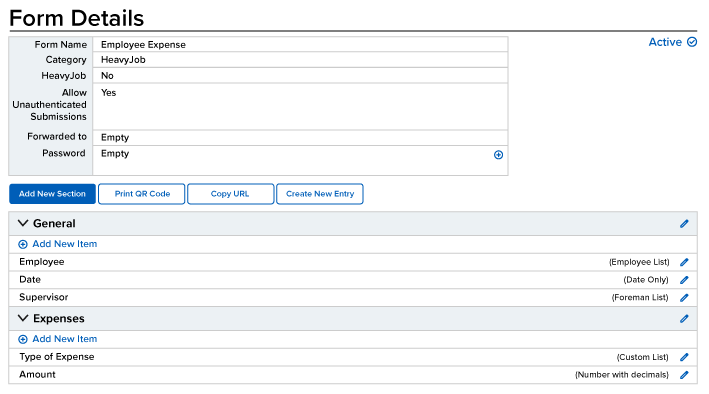
Ask our customers why they trust HeavyJob for custom construction forms






I have a better understanding of what’s going on.
- Tim Klass, Sigfusson Northern Ltd.
The software really helps us with efficiency.
- Aaron Parker, Silver Star Construction
95%
of HeavyJob projects close within budget
1.5 million
inspections completed in 2024
9.4/10
average user rating
Always-on support.
Always human.
- Guided implementation to get your team up and running faster.
- Award-winning 24/7/365 support from our Sugar Land, TX office.
- Dedicated Customer Success rep to guide you beyond go-live.
- Ongoing training through HCSS Academy and HCSS community.
See how to collect better field data with less effort and instant insight
Step 1
Share your business headaches
After submitting a demo request form, an HCSS expert will follow up with you by the end of the next business day to discuss your business needs and requirements.
Step 2
See HCSS in action
Then, we’ll walk you through a demo tailored to specific HCSS solutions that can help solve your current business problems.
Step 3
Get up and running in days
Finally, you’ll be assigned a dedicated implementation specialist who will manage your implementation from start to finish and ensure project completion.
Frequently asked questions
What is construction forms software?
Construction forms software helps contractors complete and manage safety forms, inspections, and checklists digitally on the jobsite.
With HeavyJob, teams can capture inspections, audits, and compliance records as work happens—ensuring safety documentation is accurate, consistent, and easy to access.
For broader safety management, including incident tracking and performance trends, explore HeavyJob Safety.
How do digital construction forms work?
Digital construction forms are completed directly in the field using mobile devices, making it easy for crews to capture safety information as work happens.
With HeavyJob, teams use standardized templates to complete inspections and checklists, then submit them in real time. All forms are stored centrally, eliminating paper, lost documents, and incomplete reporting.
How do forms help improve compliance?
Forms help improve compliance by ensuring required documentation is completed consistently across all jobs.
With HeavyJob, standardized forms and real-time submissions create a clear, traceable record of activity—making it easier to meet regulatory requirements, support audits, and maintain compliance across the business.
How do safety forms help reduce risk and incidents?
Safety forms help reduce risk and incidents by capturing potential hazards and reinforcing safety procedures in real time.
With HeavyJob, teams can identify issues early, ensure safety protocols are followed, and create accountability in the field—helping prevent incidents before they occur.
How do digital forms improve accuracy and accountability?
Digital forms improve accuracy and accountability by capturing information in real time and standardizing how it’s recorded.
With HeavyJob, required fields, time-stamped entries, and user tracking ensure forms are complete, consistent, and easy to verify—creating a clear audit trail for every activity.
How do forms connect to daily logs and reporting?
Forms connect directly to daily logs and reporting, becoming part of the overall record of the job.
With HeavyJob, completed forms feed into daily reports and project documentation, providing supporting records for audits, incident reviews, and dispute resolution—ensuring data is fully integrated into the project history.
Didn’t get all of your questions answered?
Request info