

Low parts inventory alerts
Set alerts for when parts drop below a threshold and track their storage in each warehouse with construction inventory management software.
Excel import setup
Use exported sheets of all parts purchased in the last 6 to 24 months for initial software setup.
Full equipment tracking
Keep track of purchase orders, invoices, receipts, and part utilization across your fleet.
Customizable purchase units
The system can be set up with customizable quantities in purchase units of measure.
See what HCSS can do for you
Schedule a demo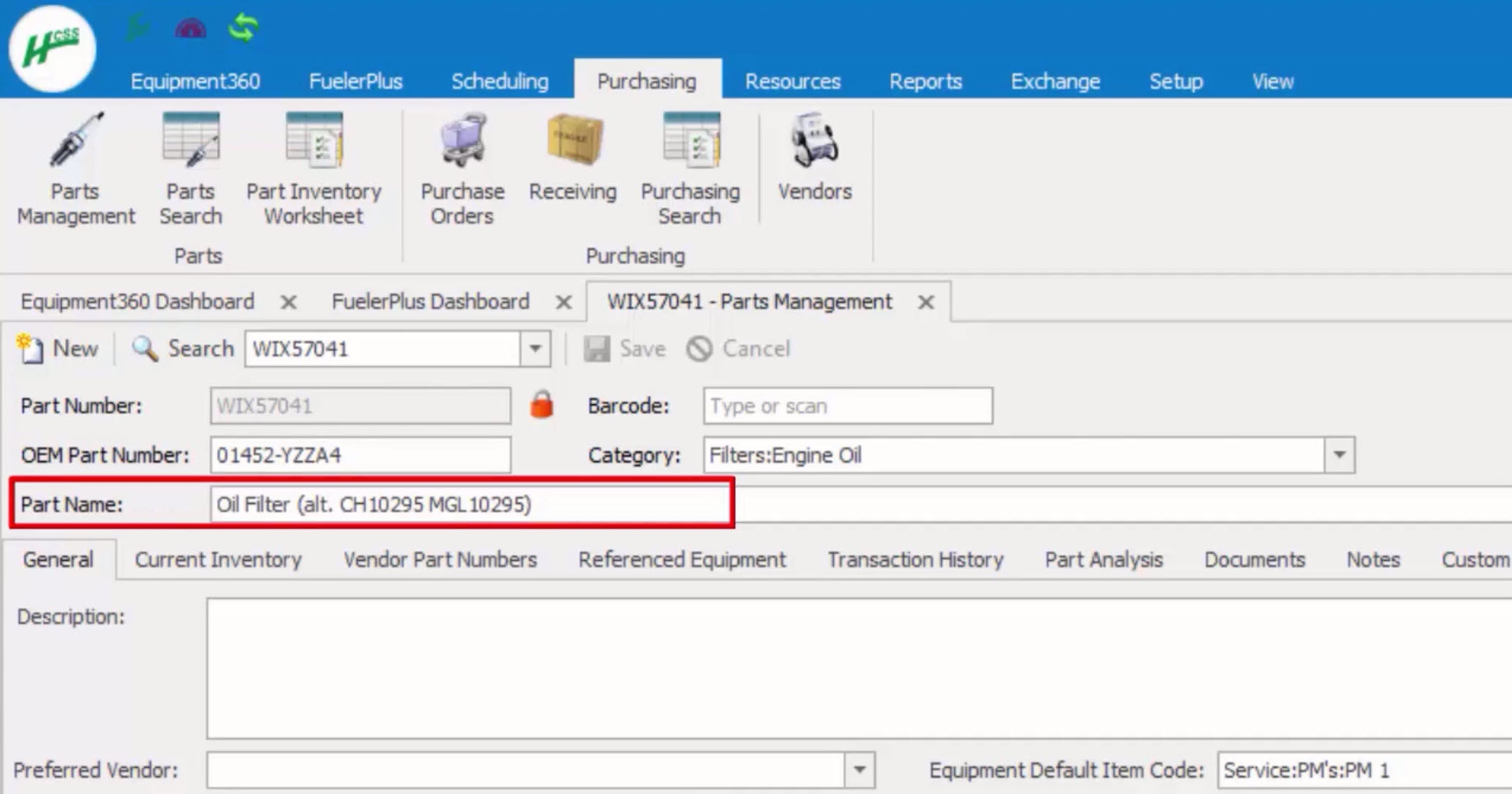
See why our customers trust Equipment360 for inventory management






You can use data that you trust and rely on to help drive decisions.
- Chet McDaniel, Superior Bowen
Rather than having this paper process, you have all the information in the tool and you can validate it using the tool.
- Ben Chung, MGE Underground
65%
fewer breakdowns for Equipment360 users
10%
reduction in repair work order cost
4.4/5
Apple App Store average rating
Start managing your fleet in real-time and maximize profitability
Step 1
Share your business headaches
After submitting a demo request form, an HCSS expert will follow up with you by the end of the next business day to discuss your business needs and requirements.
Step 2
See HCSS in action
Then, we’ll walk you through a demo tailored to specific HCSS solutions that can help solve your current business problems.
Step 3
Get up and running in days
Finally, you’ll be assigned a dedicated implementation specialist who will manage your implementation from start to finish and ensure project completion.
Frequently asked questions
What is construction inventory management software?
It’s a digital system built specifically for heavy civil fleets to track parts and manage shop stock. Unlike spreadsheets, where a single unrecorded part ruins your data, Equipment360 provides a real-time view of your inventory that connects directly to your mechanics’ repair workflows.
How does the workflow work for a mechanic?
Mechanics use a mobile app to pull parts into their work orders instantly. They can scan barcodes to track usage, attach costs, and even upload digital receipts, which keeps stock levels accurate and eliminates the manual paper trail between the shop and the office.
How does this prevent equipment downtime?
It ensures the right parts are on the shelf before a machine breaks down. This prevents the need for “unplanned rentals” or jobsite work stoppages while waiting on a common filter or belt to be delivered.
What happens when parts run low?
The system sends proactive alerts based on your reorder thresholds. This allows you to order parts in advance through normal channels, avoiding the high costs of rush shipping or last-minute emergency orders.
How does inventory data help with job costing?
Every part used is tied to a specific work order and machine. This allows the office to charge repair costs back to a specific project rather than lumping them into general overhead, giving you a true look at your project margins.
How does it help with warranties and cost control?
By maintaining a complete repair history, you can identify if a failing part is still under warranty to avoid unnecessary purchases. It also prevents overstocking, ensuring your capital isn’t tied up in “extra” parts sitting on a shelf for no reason.
Didn’t get all of your questions answered?
Request info