Welcome, everyone. I am Melissa Teague, and I'm joined here today with Amanda Ayles, our group product manager for HeavyBid. We are incredibly excited to be here for the hard launch of the new HeavyBid.
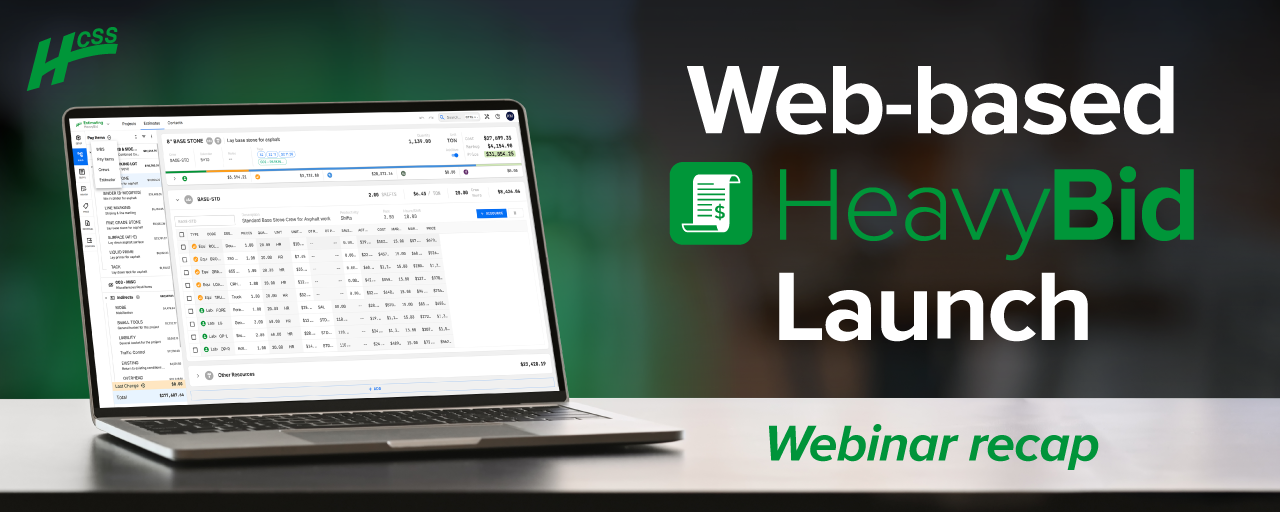
HeavyBid, if you haven't heard of us, has been the gold standard for estimating software over the last forty years. And it's always been a desktop on premise solution, and we've recently launched the web based version that you will get a demo of here today.
But today isn't just about showing you a new cost estimate solution. It's about showing you how to stop guessing and start growing by protecting your project margins.
So we're going to show show you how to replace spreadsheet guesswork and validating accuracy and leverage your historical performance to bid with certainty. And finally, connect your business development pipeline to your estimating desk so you can win the right work at the right price. So before we jump in, I'd like to kick things off with some quick introductions.
So, again, my name is Melissa Teague, and I'm the product marketing manager for HeavyBid here at HCSS.
As a product marketer, I spend a lot of my time working with our customers to turn their feedback into resources that they need to succeed.
And I'm bringing that same focus to you today to give you an honest insights that you might need to decide if HCSS is the right partner for your growth.
Alright. And I'll pass the mic over to Amanda.
Hello, everyone. My name is Amanda Ayles, and I am the group product manager for HeavyBid at HCSS. I started at HCSS in twenty thirteen as a software developer and worked my way through our operations and then fleet products before I joined the HeavyBid team. Since then, it has been the ride of a lifetime because I enjoy solving hard problems and estimators face some pretty hard problems. So that's how I come to you today is excited to show off how we've been working through HeavyBid, imagining it for the web, and we're really excited to show you the software today.
Thanks, Amanda.
And here is our road map for the next hour. So we're gonna start with a quick look at HCSS's forty year legacy so you can understand who we are, and then we're gonna dive deep into the specific pains we know you're facing in today's market. And then Amanda will take the wheel for a live demo of the new HeavyBid. And then at the end, we'll have a live q and a. So please, if you can hold your questions until then or just drop them in the chat as you think of them, and we'll answer them during the q and a session.
Okay. So now for the fun stuff. We're gonna launch a few polls here.
Alright.
And so we'll have there's about four poll questions. So if you wanna go ahead and answer each one, and then I'll kinda run through the different questions that we wanna hear from you. So what is the biggest bottleneck in your current estimating process?
Is it the after hours grind? So we know a lot of you are in the field all day and then you're estimating at night. Right? Is it the spreadsheet stress?
So broken formulas and guessing on unit costs. Is it the speed trap? Is it data silos? So information is just stuck in people's heads or buried in old files.
And then the next question is, what keeps you up at night the most during the busy bit seasons or any time of the year?
Is it missing a minor detail that turns into a major profit leak or leaving too much money on the table? Right? So maybe it's a great price that you gave the owner, but not necessarily for your company.
Is it your lead estimator or you is retiring and leaving all that intel, you know, a secret locked away? Is it submitting a bid that's late or incomplete?
Alright. And then how important is it for your team to access and collaborate on bids from anywhere? So whether you're in the field, you're at home, or you're in the office, and we just wanna know is it critical, important, nice to have, or you're not really sure?
Alright. We see some answers coming in.
Thank you, guys. And last but not least, we wanted to know how familiar you are with HeavyBid.
Have you used it before at a previous company?
Have you heard the name, but you've never seen a demo of it? Heavy who? Right? Are you brand new to HCSS and you've never heard about HeavyBid, or you're just curious and you just wanna see a glimpse of it at the web version?
Alright.
I am going to end the poll here and share the results with everyone.
So it looks like the majority of you are here because well, your biggest pain is data silos. So information is stuck in people's heads. That makes sense. That slows down your process. Right?
Also, what keeps you up at night and missing a minor detail that turns to a major profit leak.
And then how important is it for your team to access and collaborate on bids from anywhere? Very important. It would save you guys a lot of back and forth. And then the majority of you have heard of our name, but you've never seen it in action. So very excited to give you a demo of that today.
Alright. And so I wanted to give, since you are some of you don't really know about HCSS, a quick overview of who we are. So HCSS was born forty years ago when they launched HeavyBid.
And then over time, they continue to innovate to not only help you with your estimating, but the entire project life cycle. So you can see here in the side slide, we have HeavyBid, HeavyJob, and HCSS Fleet on one single platform.
And over the course of these forty years, we've gained the trust for from a lot of the biggest contractors out there. So you can see we have eighteen of the top twenty transportation contractors. We have forty two of the top fifty heavy civil contractors, fifteen of the top twenty utility contractors, and seventeen of the top twenty excavation contractors.
And not only are we trusted by, you know, the best out there, but we're also trusted by contractors of every size. So we have over four thousand contractors that use HCSS, and they have anything from under one million in revenue to over one billion in revenue. So the product team really focuses a lot on making sure that our solutions are scalable and they're designed to grow with you.
Alright. And then here is just a nice little visual of all of our users across the United States that use HCSS. So you can see we're scattered everywhere here.
And then I wanted to give you guys a an overview of the timeline of HeavyBid. So like I said, HCSS was born when they created HeavyBid Desktop. So this was an s cost estimating solution for civil infrastructure contractors. It started with MS DOS and floppy disks in nineteen ninety six, and then we continue to evolve and, innovate, and then it was we launched Windows 1.0 in nineteen ninety six.
And then there was this thing called the cloud was launched, and HeavyBid desktop could now be accessed through HCSS cloud hosting. So now you could bid from anywhere. And then the product team realized that, you know, we really had to help contractors much earlier on in their estimating workflows. So not just with cost estimating, but they wanted to build something that was gonna help you with your business development piece.
Right? So really managing all of your opportunities, all those projects that you could bid on. So they developed this bid management tool to make sure you're bidding on the right work. And then we finally were in alpha and beta testing for our new HeavyBid, which you're gonna see here today, and we launched the web based version of HeavyBid this year.
Okay. And so now why don't you just quickly touch on we do a survey with our customers every year where we ask them what was the biggest reasons and why you bought HeavyBid?
And this was the top reason was most of them, sixty two percent of our customers were relying solely on Excel for estimating prior to using HeavyBid. So this, they talked about their frustrations, the key reasons why they switched. There was errors and inefficiencies in Excel. We all know that.
There is time consuming bid reviews. So printing out those estimates, reviewing them, the reviewing those hard copies in the in the conference fronts was just wasting a lot of time. Inability to handle complex bids and limiting competitiveness. So if you remember that map I just showed you, there's a lot of people using software out there, so it's very hard to stay competitive with them.
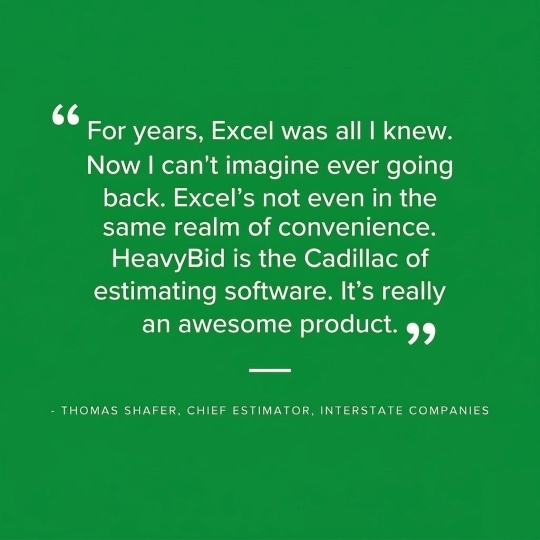
And then this is just a nice quote, one of our customers, Thomas, gave. He said, you know, for years, Excel was all I knew. Now I can't imagine ever going back. Excel's not even in the same realm of convenience. HeavyBid is a Cadillac of estimating software. It's really an awesome product.
And then another one of the key frustrations that I think a lot of you might also be aware of is that tribal knowledge. Right?
A lot of experienced customers is retiring, the next generation is gonna be taken over. And so all of that historical knowledge is lost.
And no matter if there is an old Excel spreadsheet, there's no data behind the numbers. No one anyone can go into that Excel spreadsheet, and they don't really understand how they got to those costs.
And then a big one is also key relationships are lost. So as we know, contact management can be in your emails. It can be in your phone. It can be in your head. So once, you know, an experienced estimator leaves, you also lose those relationships.
And then the last one is wrong software. So some of our customers were using software that was just not equipped for business development.
Software that was built for vertical construction, not horizontal. Software built for just cost estimating, and then lack of cloud capabilities was a big one as well.
And siloed systems.
We all know a lot of you are using a lot of different things. Maybe it's Salesforce. Maybe it's just Excel, various Excel sheets to manage everything that you're doing when it comes to creating an estimate. So a lot of the frustrations was double entry frustration. So putting your numbers in Excel and then putting them on a proposal. Right?
Also, development versus estimating gaps was a big one.
The no feedback loop, as we call it, from the field. So it's hard. If you can't get the data and the actuals from the field, then how are you gonna estimate better the next time?
And then silo data was a big one. You need everything connected on one source of truth. Right? Because if you don't, your data is not gonna work for you. So that was a big one as well.
And then so those were the key frustrations.
We're gonna see we're gonna jump into the demo in a second.
But, again, HeavyBid was built to help you with your preconstruction process. So the product team created an end to end solution that's gonna streamline your bid management and your cost estimating with the goal to help you bid faster, smarter, and with confidence.
And then Amanda is gonna go through this in detail. But as you're seeing the demo, you're gonna see how HeavyBid is gonna help you with, you know, one, the bid management, then that opportunity analysis, the cost estimating quote management, submitting the winning proposal, and then preparing the budget.
Alright. And now it is the fun stuff demo time.
Let's hand it over to Amanda.
Hey. Thank you very much. Hopefully, you can see my screen up okay, Melissa. Yes. Awesome.
Alright. So we're gonna start you off taking a look into HeavyBid and really trying to point out how HeavyBid aims to solve the problems that Melissa went through and specified for us. So in the workflow that we're already following today, just the one that Melissa showed on the previous slide, we're gonna start at bid management, and we're gonna look at what HeavyBid aims to provide in the projects app.
So a common spreadsheet we see a lot is the weekly bid management spreadsheet. It is the space where all those potential opportunities are listed, and then they've got information. I've got information about who that job could potentially be for, what type of work that job is, I've got dates on this, and I've got statuses. So starting off here, this should be a fairly familiar looking list of just possible project opportunities that I wanna get out there and win.
So instead of spreadsheets or email threads, the goal here is that everyone sees the same pipeline.
Now the fun part with project tracking is we can see the same pipeline in multiple ways.
So a dashboard that I like is my projects dashboard where I can now dive into looking at different projects, the map of where my projects are located, keep an eye on my calendar.
I can just watch oh, man. April's gonna get busy. We've got eleven bids due that month, and so I need to be prepared.
And then keep an eye on how our our statuses are doing. How many things do we have in the backlog that still need to get done, and how many have we won.
So overall, we've got this ability to change up what we're looking at. We've got this ability to change up how the table is reporting.
In this particular case, again, going back to that weekly bid review meeting, I've got my last modified field organizing for me by week so I can see what projects have been touched over the past week, and that really helps focus in on what we're talking about during bid review.
So overall, our goal here is to help you stay on top of every opportunity in one central place. This helps solve the siloed systems and that lack of pipeline of visibility.
So moving into estimating, I'm gonna jump into a project where I am now looking at the project's details. Overall, this is just organized based on how you wanna see this, and you can refine these details if you want to see more information about your projects.
When I'm ready to bid or build out my estimate, estimating is a clickable button. I have a few options when I'm ready to estimate.
I can start estimating and work with a template file. So if you work in the format of pretty repeatable jobs, structures, and so you build out your template once and then use that as the basis of how you start estimates, that is an option.
In the case that I've got some rate sets or default ways that I I cost my labor and equipment, those are options as well as if I have multiple rate sets I need to consider. This may be possible because you work in multiple geographies or you're just keeping a year over year view of how you've been costing estimates.
So I can start my estimate from the sense of templating.
We're gonna go into this estimate and look at a few other ways that I could start this estimate. In this case, what I did is I was able to come in and choose pay items from my pay item library in my setup.
So setup, proposal, pay items. And in this view, I have picked what my pay items are going to be. I have even set up a particular subtotal that I'm planning to show in my proposal.
At this point, I don't need that subtotal, so I'm going get rid of that for you.
All right. So we are looking at our pay items. Again, I can add these pay items from the library. So if I have a consistent way that I need to bid out work, I can work in that structure.
Or coming back into here, I can also build out from my WBS library, or I can jump straight into thinking through construction activities. But overall, we want to organize our project breakdowns.
For now, we're going to jump in, and we're going to review this estimate.
Overall, though, our goal here is we want to try to solve Excel inefficiency errors. So we've got the opportunity for centralized setups. That's always going to be your best way to help make sure that data is going to be consistent.
We want to help with potential errors for getting scopes of work as you're doing your estimate kickoff. And then we really want to help with that, like, normal human friction of getting started. So there's there's that executive functioning that's required when it's time to get something started, and HeavyBid overall just has multiple ways to help you get over that hump. Because you know once you start diving into that estimate, you're gonna have fun pulling it apart.
So looking into our breakdown view right now, I currently have my estimate broken down by pay items.
Going into the details of my pay items, I can see different ways that HeavyBid allows me to add cost to my estimate.
So overall, HeavyBid is a cost estimating tool.
We do have customers that come to us, and they are used to thinking in prices.
They know how much they charge for their work.
What we aim to do by introducing them to HeavyBid is build up their strength of business and understanding their costs as a layer of information and then understanding their profit, how the money that's added on top of that cost helps grow the business.
So looking at costs, one of the first standard ways that we do cost entry and cost estimating in HeavyBid is in an activity that helps me break down the crew I plan to use on this activity as well as any other materials or items that I need to think about in order to cost them.
Ultimately, our goal here is that, like, when reviewers ask or your boss boss asks what's behind that number, there's plenty of detail to dive into in order to see how you came up with this idea that clearing out this site is gonna cost about twenty nine dollars an hour. Okay. That sounds about right for the amount of work and effort that we put into this.
There are lots of little KPIs tucked into the system so that, again, you can double check how the estimate is feeling.
When it comes to working with a crew, the notion here that if I need to change up this crew so this may be the crew that came in from my library, but I really need to up it because we've gotta work a little faster. So I can come in here and adjust how many laborers I'm gonna bring in for this particular crew and watch the system recalculate how that's gonna affect my costs on this item.
For crews, we are productivity based. So what I'm looking at with this crew is how much how long is it gonna take me to achieve delivering this quantity of work?
In my case, I've chosen to work in shifts in the sense that I know that my crew's gonna be out there for three days, so I put three days, and that is what helps me drive cost tracking for this particular item.
In the sense of working on items that don't necessarily need to go through a crew, like, I am installing some piping, and that includes the material for the pipe.
There's this opportunity that I just take a nice direct calculation. I need to install eight hundred linear feet of that, and I have a unit cost per foot.
So there are also just direct costing calculations as well.
So these rates, right, come from our standard crew library.
And as an estimator, I'm looking at an actual job.
And so now you're free to fine tune them based on local conditions, like the soil type you're actually gonna be dealing with, what the traffic control pattern needs to look like in order to do this these updates and weather.
But the structure is already there is what HeavyBid helps bring to the table.
So because this is downtown and and and this little thing, I'm just doing some modernizing of pipes in a very, very small downtown Texas town. Because of this this is downtown. We need some lane closures and flaggers.
So as far as, like, bringing in any kind of standard items, I can manage traffic control in a couple of different ways. In this case, traffic control is managed as an addition on my manhole installs. So in this case, they're coming in as a subcontractor, and I can also work with just a flat number that I'm getting from them for what their price is going to be.
Ultimately, we want to give a lot of different flexibility in how you can cost, out the the work. So sometimes you don't need to get as detailed as thinking about the crew that is going to be on that particular work.
So we also have the opportunity to work through things, in the sense of unit costs.
In the case that I need to just add a quick number, again, this would be a very fast way without going into extreme detail to make sure I'm just accounting for particular labor, equipment, material costs that I know needs to be on this item and taken into account.
Additionally, there's that opportunity to work in what we call add ons.
So in an add on, this is where I can use a calculation like accounting for small tools that I need across the project. This calculation is based on the total labor of the estimate, and I'm just tacking on a ten percent, quick markup so that I know that that cost is accounted for.
Overall, within all of those different ways that we can add costs, the ultimate goal is you are breaking down what you need to break down, and you're making sure that all of the items that need to get included, whether they're direct costs or indirect costs in your estimate.
So our goal here is to really solve that lack of visibility into true costs. At any point, you can come in here, review why that cost got to that number. And with things like our add ons, you can also review the calculation that drove this add on value.
Moving in to quote management.
One of the thoughts here. Right? So we're we're needing to buy some pipe. I normally get two to three quotes on pipe. So in my quote system, one of the options or one of the abilities I have is to look at those quotes side by side. This is obviously a very simple example, but I wanted to illustrate for y'all the notion of a quote folder is able to organize when I'm purchasing a bunch of similar materials together. This is how I would organize it, and then I'm gonna take the prices I get back from my vendors and be able to compare them side by side.
The look the view of this also on our dashboard gives us an opportunity in case you're working in a space where you're not just quoting for one project at a time. You've actually got multiple projects that you're trying to move along and get a bid in for. Now I can look across all of my projects and see where my quotes stand in different statuses.
If I really wanna just get pushing on things that are in progress, know who I need to call, this is how I know what my to do list is in order to push for those prices.
Within this quote so looking at that at this particular example now where there's a bunch of pipe that needs to be quoted within this estimate.
Anytime that I wanna add a vendor, one of the things that this does is interact with our contact management system. So this list is looking through the contact management system, and one of the things I can do is just auto select the matching scopes of work, which I may have already done in this one. But if I need to search for anything else, I can also pick other vendors and add them to this quote sheet as well. This will add Dave's pipe construction as a new column, and now I've got another place to throw in some quote prices that I may be getting from my vendors.
Overall, the goal here with the quote system is to help provide a place for you to organize those disorganized vendor quotes.
When everything's left kind of in that email space, even those of y'all who are the estimator and PM, you know that you end up having to go and dig around and figure out what that PDF was, what that attachment was that Dave sent you when he gave you that quote. So one of the things with working with a system like HeavyBid that we're trying to support and encourage is that workflow and behavior that is built on building up a documentation trail for yourself even. So you know you have one place to go and look for all of the quotes that your vendors have sent you.
Going back into the estimate, we're gonna move now into some of the last steps of the estimate where I'm looking at the review of where my bid is so far.
In this review screen right now, I'm focused on cost breakdown, which means I can dive into what the cost drivers are for this bid.
Looking at the first round of information, it that's my pay items.
So this largest bar is my pay item three hundred is carrying the most cost within my estimate. And of that pay item, it's materials that are really driving that cost.
So, again, this is a good, like, gut check interaction with your estimate after you built it to say, okay. Is this lining up to my expectations? Materials are expensive. I expect that to be my cost driver. This is all lining up.
If you wanna look at things in more detail, we have a cost report, which really goes into those that breakdown of how your costs were calculated across the estimate.
So this is a good place again for that review of the estimate for with people who maybe aren't even getting into the HeavyBid system.
And then there's the estimate summary report that is here to help you focus on now your how your costs are breaking down in more of a cost type buckets as well as a direct versus indirect costs and what that's looking like for your markup and profit margin.
So overall, this is information to help point out things. What that points out for me right now, I need to handle the fact that I haven't actually put any markup in this estimate, to help me cover making a profit.
So I wanna show you one of the examples of how you can quickly make a bulk change in your estimate.
For example, I did not set up any markup rules on my cost types. So I'm gonna up this to a ten percent markup on labor, and the system asked me, would I like to update the estimate with this markup?
I'm going to say yes, and now I can see wrong screen. Now I can see how in my labor costs, there is now a markup added into that to help me account for either unforeseen costs or start to push me towards profit.
With all of that said, you still have control over final pricing.
And so after reviewing the estimate, when you come into the pricing screen, you still have this opportunity to adjust how you are going to price your items for the proposal.
So the first column in here is showing the suggested price. This is based on everything you've entered into the system and how you've said, you know, you need to account for costs as well as give me giving me things like that ten percent markup on labor.
Alright. Well, I'm not actually gonna price it at five ninety four, so we're just gonna bump this up to six dollars and make that a nice, clean, even number. So as I'm adjusting items in my in my pricing sheet, I can see how that's going to affect my margin and how many extra dollars that's adding for markup.
One of the fun things here too is this is a a a place that really shows off what happens when you accidentally fat finger something. Right? So I'm gonna update this to fifteen. Oh, but I accidentally put one fifteen. This is easy. I could right click and set it back to the suggested price if I wanted to, or we've got that quick ability to undo a change and redo what you are trying to actually type in.
So overall, you still have final control over pricing.
And with a clear preview into this information down here that we're giving to you. This aims to solve the slow kind of error prone things. Like, as far as bid day is concerned, for better or for worse, there's gonna be some of those last minute decisions that you just have to make. And so being able to come in and say, look. I know, but there's something we didn't account for, and so I'm gonna update this price real fast. You've got that control, and you can make that fast edit in order to get the proposal out the door.
So finally, moving into our proposal. So once the numbers look good, HeavyBid gives us a clean proposal that we can submit, in this case, directly back to the city.
One of the things that I have an option around is different templates. So the a very default basic template that's gonna come in the system is what we call our concise bid proposal because it is only what you need and nothing more.
However, you can, within the system, take some time and design proposals based on how you want it to look in order to clearly deliver your company's brand, what your inclusions and exclusions are on your work, and then deliver your price. So that's an order I happen to pick for this particular template template, but I also could have put this into a different order with the prices coming at the top and then followed by my inclusions and exclusions.
Overall, the goal for this spot in the, in the product is to help with that manual repetitive formatting of this information.
In our last screen for conforming, the goal of this screen is to help you turn your estimate into a budget.
Overall, we expect that if you are working with an accounting system where you track your job costs, then what you'll want to do is convert your activities into a budget to track down your cost codes on.
So whenever you set those cost codes, we prepare an export for you that will organize the information and give you your breakdown of costs by both total and unit costs for labor equipment materials subcontractors and any other of that cost type that you're trying to show.
Overall, I hope you can see that across this entire system, there are a lot of steps that we're taking to help solve repeated work where you don't want to have to type things in over and over again. That is where the the libraries help support you with bringing in repeated structures.
We are also trying to help account for the ability to see into great detail on things that are driving your estimate.
And we really wanna make it easy to take those winning bids and turn them into the next step, delivering the project.
Alright. So that's what I've got for you in this demo today. I'm gonna kick this back over to Melissa.
We will jump in later if we have questions.
Awesome. Thanks, Amanda.
Okay.
So we have here, if you are at your desk and you can download this QR code, this is a link to a lot of helpful documents for you to learn more about HeavyBid. So you'll get a copy of this reporting in an email, but then also, this link will provide you with an ebook, a helpful ebook that just talks about how to solve your biggest problems in estimating. We have a one pager on HeavyBid if you wanna share with your colleagues. Say, I saw this new estimating software.
Here's a printout. There's also customer testimonial videos in there. There's a lot of things. A lot of fun stuff in there.
Also, it's in the resources button if you look down on your Zoom where you can just click that link as well.
And then we also have a if you like what you saw today, you can get a custom demo from our sales team. So you scan this QR code, you'll fill out a form, and they will set up a demo with you soon.
That link is also in the resources section as well.
And last but not least, before we go into q and a, one thing I wanted to share with everyone here today is that if you do decide to go with HeavyBid and you purchase it, we'd HCSS is very passionate about making sure that it's successful for you. So we have an incredible implementation team that will either go on-site and show you how to use the software, set everything up for you, or virtual. And they are estimators that's been in the field for many of years. So they'll also share with you expertise that they have in addition to just showing you the software. They have a combined of a hundred and thirty five years of implementation experience.
We also we implement you in ninety days or less so you can hit the ground running.
And we have successfully completed four hundred and fifty implementations every year. So, in addition to that, once you get set up and you're ready to go and you start using the software, if you have any questions, we have an incredible support team that is here twenty fourseven. We have actual humans in the Texas office that will answer your calls. So no matter what time, we know you have those late night, you know, bids you have to get out the door. They will be there to answer your call.
And last but not least, we also provide our customers with very in-depth academy videos. So if you don't want to call support and you wanna watch some quick videos to get some tips on a certain feature or whatever that is, those are there for you as well.
Thank you guys so much for attending. We hope that this provided some more insights into what HeavyBid can do, how it can help you solve your pain points. And, yes, if you have any questions, reach out to us.