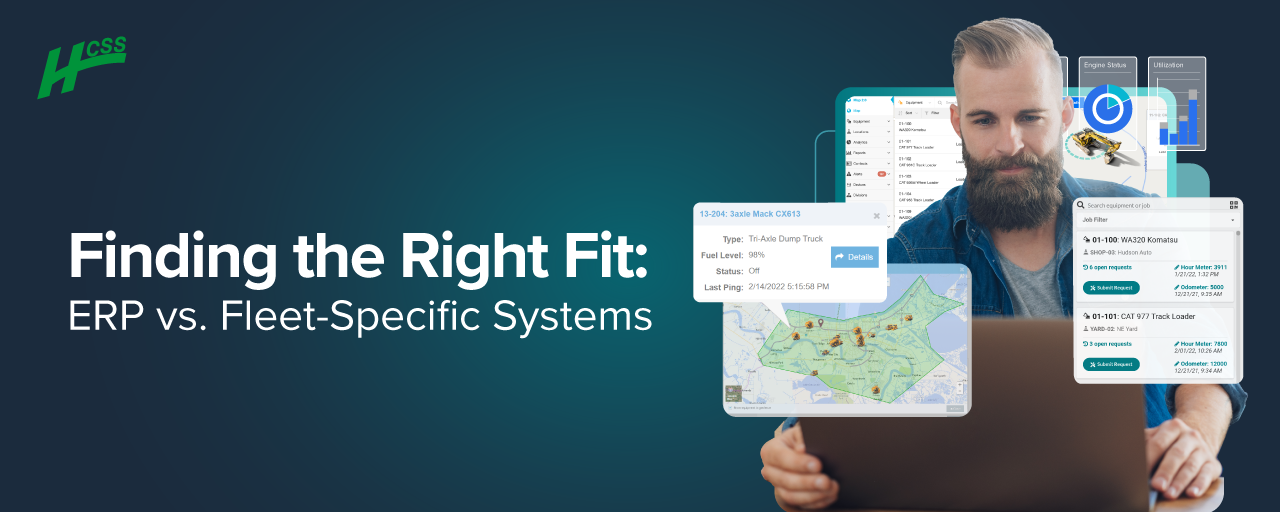
In a recent webinar hosted by HCSS, one of the most critical decisions facing fleet and operations managers in construction was explored: do you rely on your enterprise resource planning (ERP) system, or do you opt for a field-first, best-in-class solution like Equipment360?
Led by myself and fellow construction software experts Jim West and David Katz, the discussion unpacked the practical trade-offs between generalist and specialist platforms, particularly for those overseeing maintenance, equipment utilization, and operations in the field.
How are You Currently Managing Your Fleet?
To kick things off, a poll was introduced asking what attendees currently use to manage their fleet. The results were split almost evenly: slightly over half use their ERP, while about under half rely on Excel, whiteboards, or paper. Approximately 1/3 of attendees polled also use other fleet management software in addition to an ERP or Excel/paper.
We then outlined the ERP vs. field-first paradigm. Major ERP systems (like SAP or Oracle) have been built to unify core business functions like finance, HR, and sometimes asset management. However, many ERPs struggle to offer the depth and flexibility needed for specialized areas like managing a construction fleet.
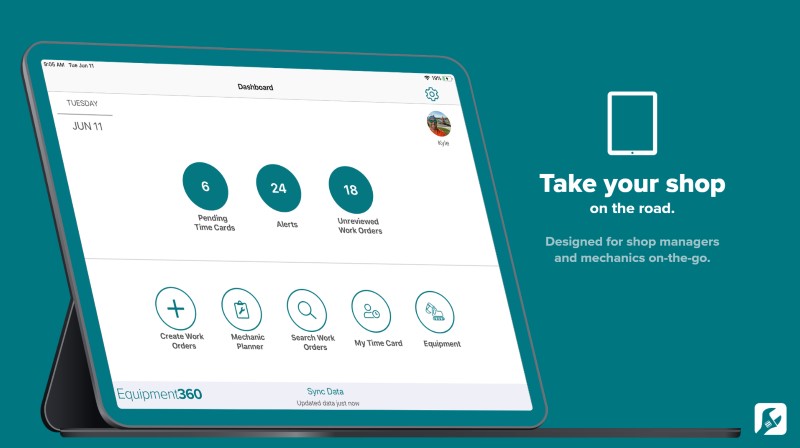
On the other hand, a field-first platform like Equipment360 is purpose-built for construction operations and integrates seamlessly with field workflows, maintenance processes, and telematics.
HCSS Fleet Overview
Jim West walked through the primary differentiators of a field-first system, using HCSS fleet software solutions as a prime example. Key features include:
- Automated Alerts: Get notified when a machine is due for service or when a new maintenance request comes in (no need to dig through reports).
- Preventive Maintenance (PM) Scheduling: Track and manage all PM intervals and hours across your fleet.
- Work Orders and Workflows: From the field to the shop, everything, including labor, parts, and status, is tracked and assigned seamlessly.
- Parts Inventory Management: Know what’s in stock, what it costs, and what’s being used.
- Time Cards for Mechanics: Technicians can log their hours directly into the system and eliminate duplicate data entry.
5 Important Things to Consider
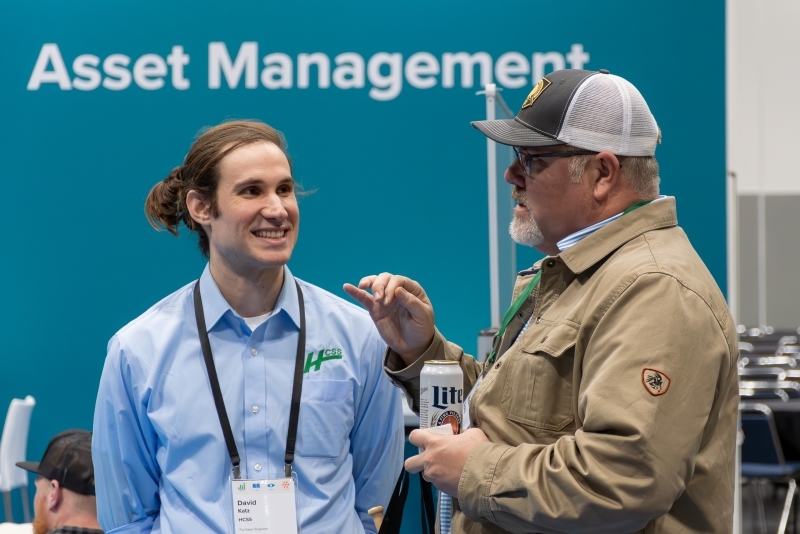
Our team laid out five crucial considerations that can help guide any organization struggling to weigh the pros and cons of ERP and a specialized fleet solution.
1. Equipment Management Capabilities
Make sure your ERP truly supports fleet management beyond basic asset tracking. Many stop at accounting and depreciation. Can it handle work orders, inspections, PM schedules, parts and inventory management, and mechanic time cards?
2. Integration with Construction Operations
Fleet doesn’t operate in a vacuum. Can your system integrate with your job costing, fuel tracking, and telematics data? For example, HCSS Telematics reported over 133 million fault codes in 2024 alone, with each one potentially affecting jobsite performance and cost.
3. Ease of Use in the Field
Mobile usability matters. HCSS apps are designed to work offline, feature intuitive interfaces, and cater to specific user roles (foremen, mechanics, and safety managers). This leads to faster adoption and better data captured in the field.
4. Integrated Workflows
Does the ERP have workflows connecting the field, the shop, and the back office? An effective system should mirror real-world workflows. For example, if a foreman spots an issue during an inspection, the system should alert the shop. A work order should be created and assigned, then a mechanic resolves the issue and logs the time. The asset history can then be updated, all within one system.
This type of automation is often out-of-the-box with a field-first tool like Equipment360, but must be custom-built and costly in an ERP.
5. Implementation Time & ROI
ERP rollouts are notoriously risky. Referencing Oxford professor Bent Flyvbjerg’s research, the team noted that 1 in 6 IT projects are “black swans” with over 200% cost overruns.
In fact, a final poll during the webinar proposed whether attendees had experienced cost and schedule overruns with ERP implementations. 87% answered yes!
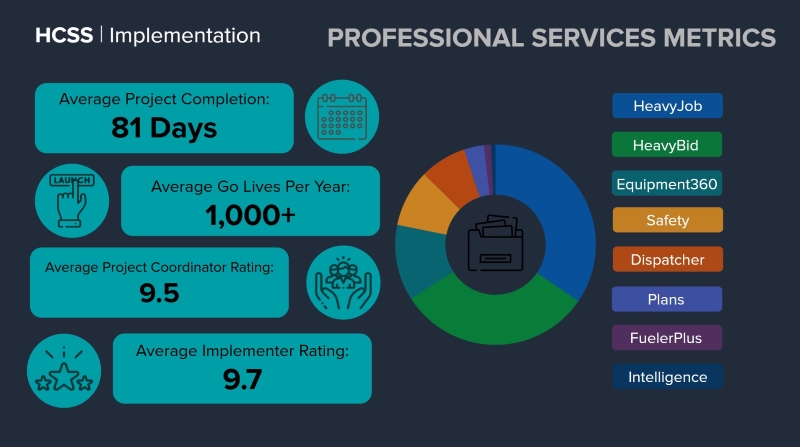
HCSS implementations average just 81 days, and they have proven workflows, integrated training, and lower total cost of ownership.
Real-World Insights & Stats
Here is a handful of eye-opening stats that demonstrate the scale and specialization of HCSS fleet software:
- 280,000+ pieces of equipment under maintenance
- 1.5 million inspections completed in 2024
- 380,000 issues flagged for correction
- 125,000 maintenance requests processed
- 1 million mechanic time cards logged
With 58,000 connected assets and over 570 million telematics pings in 2024, HCSS Telematics is far more than a GPS tool. It serves as a comprehensive data layer feeding preventive maintenance, fault alerts, and job cost integration.
The Verdict: It’s All About Fit
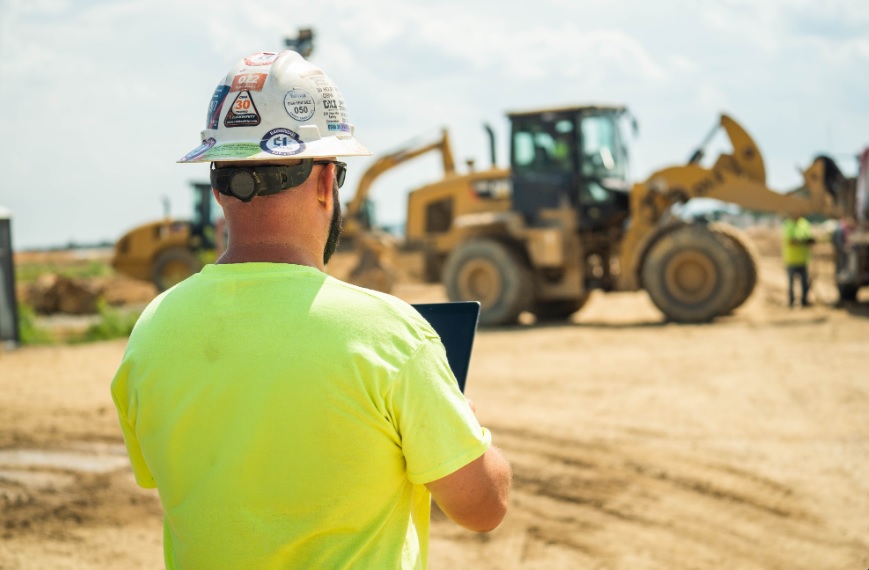
At the end of the day, the struggle isn’t about “ERP vs. HCSS.” It’s about choosing the right tool for the job. If your ERP can support all your maintenance, workflow, usability, and field integration needs, great. But most can’t do it alone. A purpose-built platform like HCSS Fleet enhances fleet management, in return making life easier for operators, foremen, technicians, and office managers.
Ready to Level Up?
If you’re considering a platform shift or wondering how to get more from your ERP investment, HCSS offers free consultations. We encourage you to watch the entirety of the webinar, Finding the Right Fit: ERP vs. Fleet-Specific Systems, below.
For today's HCSS webinar, we are gonna be talking about the ERP versus field first paradigm and how that may inform your selection of a technology platform, for fleet management. So a little bit of housekeeping for today. We are gonna have some polls, that come up, and there is a spot in the in the webinar for q and a. If you do have questions, please type your questions into the q and a portion of the webinar. David Katz will be answering some of them in real time. And if he feels the need to interrupt us, he will be, doing so so that we can answer your questions live. We'll go ahead and do some some introductions. My name is Jim Wolf. I am the director of sales consulting here at HCSS. So the presales engineers and solution architects, who work with, our customers during the sales process and, post sale and implementation on some more technical issues like integrations are are on my team. I've got about twenty years of experience in construction technology. I actually started in the field, but pretty quickly moved into project controls and asset management roles. And relevant to today's topic, a lot of that work has focused on ERP implementations. Most of my experiences with SAP, but, but at HCSS, we've definitely come across a a pretty wide variety of of ERPs. So I think we can we can speak to that, a little bit more generally. I've been with HCSS for about five years, and I'm very happy to be with you guys today. Jim, do you wanna introduce yourself? Yeah. Excellent. My name's Jim West, senior account executive. I've been with HCSS about twenty years. Multiple roles including being a product manager on the fleet side of things, as well as being a field implementer and trainer. Prior to that, came out of the construction side working predominantly with lift stations, underground utilities, and, three d machine control and modeling. Happy to be here. And I'm Jim Wolf. He's Jim West. That could get confusing. So to keep it clear, just call us Jim w, and we'll, we'll know who you're referring to. Alright. So, so today's topic, we're gonna give an overview of the ERP versus field first paradigm. And the the context is, you know, a lot of our customers and probably pretty much any business at some point in time is gonna have to make a decision when they select a technology to implement for their business on whether to use their ERP or whether to go with a more specialized solution to implement for a specific business process. The audience for this presentation are fleet managers. So if you're in the business, you're in operations, you're managing equipment, you're managing maintenance, and you're looking for, some guidance on which, which solution to implement, then, you know, this will hopefully be helpful for you. And, also, IT managers or technologists, if you you might not be in the in the fleet side of the business or in operations, but you need to implement a solution to support those folks, then this is for you as well. So our our goal is to provide a relatively unbiased overview of how you would look at these alternatives. Obviously, we live in one side of this equation. At HCSS, we have a, a best of breed fleet management solution, but, but we're gonna lay out these alternatives in a way where you can give some honest evaluation to, what the trade offs might be, if you're faced with this decision. Alright. So what is the ERP versus field first paradigm? So I'll I'll take it up a little bit, to a a higher level. So the ERP versus best of breed paradigm is something that many of you may have heard of in the past. It kinda goes back to the beginning of technology projects where, you're you're faced with a decision of using your ERP for a specific business process or going with a more specialized solution. So first, some definitions, ERP stands for enterprise resource planning, and that's a system that integrates and manages an organization's core business processes. We often think of it mostly in terms of finance or maybe HR. So really the, those core business processes. But depending on which ERP you're using, they it may cover a lot of ground, and and you may have capabilities related to things like manufacturing or supply chain management, or asset management, which we're gonna talk about today. And it and it does it within a single unified, system. It kinda tries to be all things to all people, so to speak, where a best of breed solution, is one that is, that specializes or specifically designed for a particular use case or a particular industry. So, so best of breed is sort of a a very generalized term. We like to use the term field first, because we, we support the construction industry. And, and for us, best of breed really is a a solution or a platform that focuses on supporting field operations. When we talk about fleet management, we're talking about, a system that's designed specifically for the construction industry. So on the one hand, we have, a a very general system that can cover a lot of ground. On the other hand, we have a more specialized approach to the construction industry and specifically to fleet management for construction companies. Alright. So for today's presentation, the first thing we're gonna do is give you an overview of of HCSF fleet. So, you know, as I said, we kind of live on one side of this equation, and this is the, the example that we're gonna show for what a best of breed fleet management solution looks like. And, you know, from that, you can start to see, like, what capabilities are we talking about and start to sort of translate that to to other alternatives like the ERP that you may be considering. So that'll sort of frame the conversation in terms of, solution capabilities. And then we'll get into decision criteria. So we've we've outlined five criteria that we're gonna go through, and, for those, we'll kind of explain, like, what the trade offs are between an ERP and a field first solution and some of the things to look out for when you're faced with that decision to make sure that you're, that you're not missing anything. Audience q and a, as I mentioned, we're gonna do that as we go. Please type, questions into the q and a portion of the webinar. David Katz will be fielding those in real time. And if he feels the need to interrupt us so that we can speak to it, he will do so. Alright. And another pulse check. Let's, we're gonna use our webinar technology and see how things are working. So the first poll, is we would like to know what you are using to manage your fleet today. Are you using any RP already? Are you using Excel, some combination of paper and whiteboards, or are you already using, another software application to manage your fleet? Alright. And I don't know. Katz, do we see the poll results? Oh, there we go. Alright. I don't know if you guys can see that on your on your screen, but the the fleet poll just popped up the first poll. And it does look like, about half of you are using your, your ERP already for fleet management. A little more than half of you are either on Excel or a combination of paper and whiteboards, and a little over a third are using another software application to to manage your fleet. Great. So let's go to the next slide. Alright. Now I'm gonna hand it over to mister Jim West to do an overview of HCSS fleet. Excellent. Thanks, Jim w. Real quick slide here just to kinda show you, a couple of different things, as as what we're talking about here is, you know, we understand your ERP, your accounting system is, in the end, your source of truth. But, does it make more sense to to do these things in that system or get a best of breed like HCSS to to handle those things? And and this is just kind of a quick thing to show you that one of the main things the best in breed or a field first solution can give you is the ability to extend to reach out to the field so that you've got lots of applications, apps that support that, you know, making sure stuff comes in electronically. We're managing work orders electronically. We're doing fuel transactions, telematics, dispatching. And a lot of you, existing customers, maybe using heavy job, but when we talk about the integration with the construction operation, that itself will will be a big piece of it as as well. So what I'll do is, jump out of this real quick and just minimize that. And just to to jump in and go through a couple of high level items that Jim's gonna talk about here in a minute, some of the things that we see all the time that when you're looking at an ERP may not be there and need to look at how they're doing. And first and foremost to that is, you know, an alerting system. Right? One of the things you don't wanna have to do is every day have to go dig for the data to find what needs to be taken care of. You want a system that's that's gonna monitor your equipment and and let you know when a given piece of equipment's due for, say, a two hundred fifty hour service. Or if the field sends in a maintenance request and you're you're out running the roads, you wanna be able to get an email that says, hey. New maintenance request came in. This machine's down, and be able to deal with it. So so, again, looking at a system that is proactive in alerting you and not making you go hunt down and have to run a bunch of reports to figure out what you need to do. It's number one. The second thing is that I mean, truly, and this is something to consider. How how robust is the ERP system in letting you set up and track, you know, your PM templates? And and can you go in and see, hey. Every machine that I have, you know, how many hours till it's due for a PM one, PM two, three, four. Making sure that there's a there's a robust PM tracking. The other piece is also and Jim will talk this a little bit, making sure it has a good work order system. And that that work order system can extend out to the fleet so that if I've got a work order in the system, and we'll talk a little bit about this on workflows too, you can set up your own workflow. So if something's waiting on parts, you know, I can see that, and that gets into another portion of the system is also making sure that that your system does parts management. Whether you do just in time, whether you stock a lot of things, or whether you do both, you want a system that can integrate the parts side of it so you get that complete picture. And then also on the parts, gives you the ability to to if you are stocking things, have instant access to that data. Let me go back and see what did I pay for these filters, you know, over the last six to eight months, and what what are my stocking inventory levels versus my actual utilization. So having a robust parts management system as part of that is is is something to consider. And sort of the final thing is that also, if you got technicians and mechanics, they're filling out time to code it against work orders. Why not also be able to handle that for payroll as well too? Let you know, does the system handle doing time cards and and processing payroll for you guys? You don't wanna develop a system and then turn around and have your mechanics have to say, oh, I have to also go fill out this sheet to turn in my time, whatnot. So, again, alerting to the data, a good PM system, a a good work order system, parts management, be able to do, you know, mechanics payroll there. Alright. And I'll take this down. We'll bring this back up, and I'll turn it back over to Jim to kinda go through how I should Great. Thank you, Jim. So the so now we're gonna get into some of the decision criteria. And what Jim West just walked through is a great segue into the into the first one, which if you go to the next slide is, is, is really the most basic one you could possibly look at, which is, do the systems that you're comparing both have equipment management capabilities? That that sounds sort of silly, like, a little bit too simple, but it's it's kind of the most basic level of analysis that you could do, is looking at the the capabilities of each system. And we're talking about the things that Jim mentioned, like preventive, preventive maintenance, work order management, mechanic time cards, parts and inventory management, and making sure that those capabilities are available in both systems. Not every ERP actually has those capabilities. There are a lot of very popular ERPs, including ones that are targeted towards the construction industry, where when they talk about asset management, it kind of ends at asset accounting. It doesn't really go into the more transactional or process side of managing your equipment, which are things like, can you set up preventive maintenance schedules? Can you create work orders, plan and schedule work orders, assign those work orders to mechanics and dispatch them to the field? Can those mechanics complete a time card? And not just a generic time card because lots of ERPs have have time cards, but can they complete a time card that actually allows them to enter all the information that you need to manage your fleet? So the the the updates that you need on the work order, the updates that are gonna go into your equipment history. Right? Like, are all those things sort of tied together? And then parts and inventory management. If the ERP has a parts and inventory management system, making sure that that does actually support your work order process. So some ERPs don't really have it at all. And so if that's the case, then, you know, by default, you're gonna be working with a partner solution anyway. And so it kinda forces you into a into a different category. And then, if the ERP does have asset management capabilities, so I mentioned earlier that most of my ERP experience before HCSS was with SAP. SAP has very robust enterprise asset management capabilities, including work order management and a lot of things that we're talking about, But it's actually not designed specifically for construction, and it's not designed specifically for fleet management. So when you look at SAP plant maintenance, for example, that system might really have something more like a manufacturing environment in mind. So it's not to say that it can't work, but it might not have the the synergies that you're looking for to get the most out of your out of your fleet. So these are the things to to look out for. A a best of breed solution or a field first system like Equipment three sixty, these are all built in, because that's its, specialty. And just, to illustrate that a little bit, if you look at some of the statistics for Equipment three sixty, and, and how we support the construction industry, two hundred and these these are twenty twenty four statistics. Two hundred and eighty thousand pieces of equipment under maintenance. So we're not talking about manufacturing environments or other types of assets. We're talking specifically about, construction equipment assets. A hundred twenty five thousand maintenance requests received, a million time cards, entered, and those are mechanic time cards. So I you know? So this is about our our software. Of course, we're gonna we're highlighting that. But, if you are looking at something else, these are the kinds of things that you might wanna wanna look for. Alright. The next criterion that you would wanna consider if you're making this decision is looking at the integration with construction operations. So it's one thing to have fleet management capabilities, like work order management, mechanic time cards, parts and inventory management. It's another thing to be integrated with the rest of your business operations. So, so if you think about an ERP as being sort of a comprehensive platform for the enterprise, what HCSS is is a comprehensive platform for the field. So part of that definitely is fleet management, but a big part of that is also construction operations. And so a lot of the information, that we we collect or the, the business processes that we support on the fleet side, they integrate with the with the construction operation side, to support those as well. So things like telematics. Right? If I wanna pull a meter reading or a fault code for maintenance purposes, I might also wanna use my telematics to to know my equipment operating time and understand how that affects my job costs. Right? And so some so our data has multiple purposes, and we wanna make sure that those are all integrated. Another one is maintenance requests. You have somebody in the field. You have a foreman or an equipment operator. If they see an issue, or they do an inspection and discover an issue during the inspection, they need to be able to submit that so that a mechanic can be dispatched to, to deal with it. I already mentioned job costing and utilization reporting, but these are just some examples of things that you wanna look out for because, maintenance is one thing, but equipment is a is a core, part of our business. And, and we need to look at how it supports, the the whole thing. Now it's not to say that ERPs can't do that, but this is something to look for. If the ERP was not designed specifically with construction operations in mind, then, some of these might not be native integrations or native business processes. They may require some more customization and configuration, and that's that's a cost that you would wanna evaluate. Alright. And I think I'm gonna hand it back to to Jim now before I get into some of these stats, to kinda show you what, what those things look like. Gotcha. Gotcha, Jim. So I'll, I'll bring my screen back up. And we'll talk about, you know, like like Jim said, integration with with operation with the construction side. You know, obviously, I've heard it from many, many equipment managers that say, hey. You know what? I can manage a good fleet if I just could get good data from the field. So that's part of it. You know? If if I can integrate something in with my field operations side that gives me the data that I get that I need, then that makes it all the more all the more better. But also too, there's things that if you pick the right solution, it also can help on the operation side. A lot of your existing customers probably using our heavy gel product or looked at it or something. But when when I'm a foreman in the field and I'm out, you know, sort of doing my daily entries, you know, I should be able to interact with things that I need to interact with on a fleet basis without having to jump to a different system or a different app or anything like that. So, you know, if if I'm filling out a a daily time card or production report at the end of the day, can I tap on a piece of equipment and literally down here in the lower right hand side say, hey? There's an issue there. Let me go ahead and request maintenance, you know, and that automatically electronically goes in the shop. They don't have to jump out somewhere else. Also, we're gonna talk a little bit about the telematics piece because that's it's an add on fleet, but it really can improve the operations. But nowadays, you know, telematics and GPS should be more than just locations and how long did it run. You know? The the data streams now are very robust. And, again, I'm a foreman out in the field. You guys want this data. But without having to do too much, can I go in and look at and say, hey? You know? How much fuel is in that machine? You know? Were there any fault codes that came across? And and how many hours, how much run time, and all time did we get on it? That's all sort of you want something that's integrated in and what they're using to do all their normal daily operations. Also things something that really gets missed a lot on the ERP side is fuel transactions. If you've got guys out in the field doing fueling operations. Again, that's another piece they should be able to to log those fuel dispenses and and transfers there. Also, we're also gonna talk a lot about daily walk arounds, you know, having those tools for guide to do daily inspections. And there's a piece that that ties in on the safety side because inspection compliance with the daily walk around inspections is not only a shock issue, but but it's also a safety issue. And so can I see, hey? You know? Did my guy do a daily his daily walk around on that machine on this d six dozer that hasn't been done? And then sort of the final piece of it that that that Jim was kinda talking about is also can can the telematics data help with the overall job cost, stuff we wanna see day in day out. You know? If I'm coming in here and I'm looking at, hey. You know, how was my productions for the day? Oh, wow. You know? I was over budget by quite a bit. Let me go back and look at it. And I just pencil with the numbers on the equipment and put down ten hours for for each of them. You know? With an integrated system, you know, I can pull in those actual hours and say, wow, I put down ten hours. I only really ran that machine five point three five hours. So I may come in here and say, hey, you know, I'm gonna change that. I'm gonna change that to three point three five. So I'm actually tying into what actually ran the machine. And down here, I put ten. I only ran it four hours. You know? And I can come in here and say, alright. I'll put two of those hours there, and then I'll put the other two point o two hours here. And now I look at it. I've I've got real actual information instead of guesses or pencil whipping. I now go back and I look at, you know, what was my production. Okay. A little bit better than it was before. You know? So by having a system that gets the information you need on the fleet side, if it's integrated in with what operations is using, it now all of a sudden becomes beneficial not only for you, but for the guys in the operation side. If it's beneficial for them, they're gonna continue to give you that good data kind of as they go along there. Alright. We'll jump back to the presentation here, and I'll put over one. I'll let Jim just talk to a few of these numbers here. Great. Thank you, Jim. The yeah. So just to illustrate this again with some statistics, when you look at HCSS Telematics, in two thousand twenty four, we had fifty eight thousand connected assets. Five hundred and seventy million pings. Right? And from a maintenance standpoint, you can look at a hundred and thirty three million fault codes that were that were reported. And we're kinda talking about, like, the the overall connection between, you know, different parts of your field operations from your maintenance operation to, you know, your your your job costing and and how you're managing your projects. I I like to highlight telematics as that because it kinda gives you the most compelling story around automation and kind of using the Internet of things to to get real time data that informs multiple business processes. And I just love the story of you think of a piece of equipment. Right? It's like that that excavator is the same piece of equipment that's in your cost estimate. It's the same piece of equipment that is in your your fleet. It's the same piece of equipment that your technicians need to work on to do maintenance, and it's the same piece of equipment that's actually earning revenue on your jobs. Right? And so it's connected through your entire operation, and that's how we view our platform. Right? That's how everything ties together. So it's not to say that an ERP can't do those things, but we're just illustrating this as an no evaluate another alternative. This is one of those things to look out for is, like, what what is the telematics integration to the ERP, and can it support multiple business processes, if that is your goal? Alright. We've talked a lot. I wanna make sure everybody's still awake. So, let's do a quick pulse check and a second poll. How big is your fleet? So is it zero to one hundred pieces of equipment, one hundred and one to five hundred, or over five hundred pieces of equipment? I'll wait a second, but I won't sing the Jeopardy music. Alright. So pretty even distribution, about a third in each category. Wow. A third of you have more than five hundred pieces of equipment in your fleet. That's really impressive. So, that's great. We got we have representation from a really well of of, of business sizes, which is actually very representative of our of our customer customer base. We support, you know, the smallest contractors all the way up to the the world's largest, and, and that is reflected in the the fleet numbers. So thank you, guys. Alright. The third criterion that we would suggest that you consider if you're making this evaluation is the ease of use for the field. This really kinda gets to the heart of field first for us. And, and when we talk about the ease of use for people in the field, we're really, for the most part, talking about mobile apps. And so if you're evaluating any ERP or any other solution and how it's gonna be used in the field, you do wanna look at how user friendly the mobile apps are, and it's a little bit more than how user friendly they are. That's what we usually call usability. Right? So, like, if I you know, we all kind of, remember when iPhones and iPads first came out, and it's like, wow. This is, like, an advanced piece of technology that my three year old knows how to use, right, without any training. You know, that's kinda like the the best definition of usability. And so, and that can really help you from an implementation standpoint, because it means that you don't have to do as much training. You don't have to do as much change management. Right? When you roll it out to the field, you're probably gonna have better adoption if it's a very user friendly app. Like, if it actually makes my life better as somebody in the field, I'm much more likely to use that piece of technology, which means you're more likely to get the data that you want and, and be able to manage your processes the way you want. So usability is a big one. There are lots of ERPs that have mobile apps. So, so that is something that you could consider, but you should look at what what those mobile apps look like and how easy they are for, the end users that you have in mind. Integration is another one. So, you know, is the mobile app fully integrated with the rest of your your maintenance process? Offline capability is a huge one. That's becoming more common. So when you're evaluating different alternatives, that that is something that, hopefully, you'll be able to find. But the, but all the HCSS applications work completely offline. They sync when they get back to the network. That's what, definitely one of the top questions that you wanna ask. And then are they persona based? So, you know, we're talking about time cards quite a bit. That's not the only thing that we do on a mobile app, but it is one of the more common ones. Lots of ERPs and lots of other systems have mobile time cards. That's sort of becoming a commodity. But if they're not persona based, right, is you have to ask, do you want your mechanic filling out the same time card that somebody in the back office would? Right? Like, is it just a generic time card that its only purpose is to collect hours? Or is it persona based meaning that if I'm a mechanic, I'm not just entering my time, I'm also updating my work order. I'm updating my parts. Right? It's like everything that I need to update and enter as, to complete my business process is all in one place, and that includes my time card. And so, so not all mobile apps are designed for construction field work. Not all of them have, intuitive user interfaces, and not all of them work offline. So, so this is an important one to look at. So with that, I'm gonna hand it back to Jim, and he's gonna show you, some examples of what these mobile apps, can and should look like. Sure. Absolutely. Thanks, Jim. I'll, bring my iPad up here. You know, ease of use, usability. Obviously, for guys out in the field, you want something that's got big buttons, you know, gloved fingers, big fat fingers can hit. And and words should mean what it means to the guys in the field, unreviewed work orders and equipment list. It's something as simple as like, you know, some ERPs there they may call it an asset list. Right? I mean, there's an asset, but a guy in the field thinks of it as equipment. So you want those and, again, Jim hammered home on the being able to work offline. If I'm out in the middle of nowhere, lying under the undercarriage of of an articulated truck, and I got my iPad next to me. I should go look up stuff and not have to be looking for for an Internet signal. You know, the the other thing that you wanna think about too is, you know, other our the robots use simple technologies to make life easier for your guys in the field. And I'll I'll give you some specific examples here because that's some of the stuff that we think about. I think you guys should think about too. You know, if I'm an average operator out in the field, you know, I want and if you want me to do daily inspections, how many do maintenance for us, it should be easy. Everyone in the world knows how to scan a QR code for the most part. I should be able to come up and scan a QR code for that equipment. And not only does it allow me to do things with it, but it also gives me information about that piece of equipment. So if I've if I've jumped on a machine halfway through the day, and I know the rules every machine has to be inspected once a day, ready to do that? Or can I look and say, oh, someone already did that inspection this morning? I don't need to do it. If I need to request maintenance, I've got simple buttons right there. And does it feed that information back so that guys that report stuff can actually see the status of the stuff they're reporting? This gets all the way back to usability and adoption. If people see that what they submit electronically is actually being dealt with, that's gonna get them to use the system like you want them to. When we go into doing things like daily walk around inspections, you know, it should be a simple scan a QR code, click of a button that logs who you are, the date, find the job you're on, and then I can go through and do those checks. And even down to part of the data in the field that we really want, especially if we don't have telematics or if we don't have telematics on everything is we want regular meter readings. And if I'm having daily walk arounds, I wanna issue those meter readings. Even that portion should be easy for the guys to do even down to, hey. Let me use standard license plate reader technology to just scan point my phone at the meter reading on that machine, whether it's an old ops meter or whether it's an electronic meter, and let the camera and the software do it to read what the meter reading is and get it correct. So it's those kind of things that that you wanna think about how much does sort of the simple technologies apply to whatever solution you're doing or using or thinking about so that it's as easy as possible for those folks out in the field, and it's it's geared towards your average operator, your average foreman, and and those kind of things. So alright. I'll jump back over here, and we'll jump back in. And oh, it's going out. And jump on the next slide. I'll turn it back to you, Jim. Alright. I so the next one and I saw there was a question in the chat about, about equipment inspections, and so you we might be able to illustrate some of that for you here. So the next criterion that we suggest that you consider when you evaluate these options is, is integrated workflows. So ERPs are actually quite good at integrated workflows. That's kind of the advantage to having everything in one in one contained system. The the trade off there is that it's usually a a large investment to design and configure those workflows, where when you go with a more specialized system, you, a lot of those workflows tend to come off the shelf because it's already predesigned or prebuilt for for your industry and your use case. So, one example that I like to highlight here is a workflow that touches many different parts of the business and many different hands, and that's when somebody on the job does an inspection. They find an issue. They mark that on their inspection. That creates an alert that somebody in the shop sees. They can create a work order, assign it to a technician, dispatch that technician to the site. That technician can go solve the problem and then update their work order, enter their time, everything else that needs to go and what parts they used into the mobile app, and that information will go into the history of that asset, and help you manage your, your asset over its life cycle. So it's a fairly complex workflow in in terms of the number of hands that it touches, the different parts of the business that it touches, a lot of different people that are involved. And, and so that's just one example of one that you might wanna look for is if I'm gonna use my ERP to manage my fleet, is that something I'm gonna have to design and build from scratch, or is it something that comes preconfigured and is more of an off the shelf or turnkey offering? So if you go to the next slide, we have a little bit of an illustration of this. If you have worked on large ERP projects in the past, you've probably seen something very similar to this. There's usually a phase at the beginning of an ERP implementation where you do business process work. So you document your current state business processes, your target state business processes, and then then you feed that into your technology team so that they can actually incorporate that into your solution design. And oftentimes, that's a long and, time consuming and costly phase of the project, and, and the workflows that you come up with are not always standard in the system. So, the consultant that you're working with on your your ERP implementation, will probably, budget that in for them to to develop for you. This is an example of the workflow I just described. So you can see the the inspection happens on the front. The maintenance gets assigned and scheduled. The mechanic completes the work. Right? So it's the exact workflow that I, that I described. But kind of coming up with this, documenting it, designing it, configuring it, potentially customizing it in your, in your ERP can be very costly. It's also an example of a workflow that's just off the shelf with equipment three sixty and the HCSS fleet solution. So if you go to the next slide, actually, I'm gonna hand it back to Jim West before I cover this one, so that he can show you, what that workflow looks like. Yeah. Absolutely. Thanks, Jim. So, bring this back down and reprise ring. I'll stick with the inspections that we've been talking about. That's just that's just one piece of it, but it's it's it's very illustrative, I think, of how an integrated workflow can really help. You know, if, if something failed on inspection with a piece of equipment, that's that's really an issue for for two departments. Right? Obviously, for the shop. Right? But also on the safety side. Safety needs to be notified that that, hey, something happened and and is that being taken care of and walked all the way through. So when I come in here and and look at and say, hey. You know what? If there's a failure on inspection here, you know, I can come in and and take a look at that inspection and say, hey. You know what? That's been done. It's been reported to the shop, and then the shop is then gonna work order it. It's gonna get assigned to a mechanic, take out, mechanic fixes it, it gets corrected. Meanwhile, in the back end, in a workflow, it should update that for the safety side. So when they need to go back and look at reporting, they can see sort of that chain of command that that everything was taken care of, you know, right across right across the board. The other side of that is, you know, electronic maintenance requests. You know? Current state for a lot of people, call the shop, text them or something like that. Somebody's gotta write it down and get it taken care of. You know? If you've got an integrated solution for people to do electronic maintenance requests, you know, that it's it's very easy for those to come in there. And, you know, again, getting back to one of the things I said at the beginning, you shouldn't have to go looking for the data. You may be out on a job site attending a safety meeting or a job site meeting. Meanwhile, you get an email alert that says, hey. There's a new request that just came in. You know, hydraulic hose was busted, and I can see all the details on that, pull it up on my iPad, sign it out, create a work order, sign up to mechanic. Or I may say, hey. We're gonna get these requests that come in, and maybe they're not, you know, emergent that needs to be dealt with right away. It's it's a, you know, bent stairs on on an operator station or or something like that that we're not gonna get to it right away. You You should also have a workflow that allows you to either create work orders and prioritize or say, hey. Backlog it. We'll get to it when it comes back for for doing a PM one or or a PM two there. I'll also kinda switch gears here and go back and talk a little bit about things on the telematics side. Because, again, heading back to telematics data, you know, GPS been around for quite a while. We've all probably you all probably have some level experience with it, and it's more than just seeing where it is and and how long it ran. And I'll give you an example of how an integrated workflow can really walk through. I've pulled up on telematics, and I've got a fault put on this machine, cool level failure. That could be one of two things. Sheen could have overheated, could be low coolant, or it could be that a sensor just failed out of range. How do you make that determination? With a really well integrated fleet first or field first system, I can go in and say not only, hey, what did I get? Like, when did that occur? And let me look at how that machine was operating at that given time. And I can see, okay, cool levels spiked at about ten fifty three, this morning, but it's at a hundred and seventy four degrees, one hundred and seventy five degrees. Okay. I'm not having an overheating engine, but I also wanna see, hey. Who is in charge with an integrated with your operation system? You should be able to see that data. Hey. What job was it on? Who was the foreman? And who was the guy that was actually operating that? You know? And if you think about coolant level failure is one thing, but, you know, is someone bypassing, you know, regeneration cycle, you know, and doing that consistently? You with an integrated system, you wanna be able to see that information as well too. The telematics data should also help you with just general decision making capabilities. Let's think about a workflow for a fuel truck driver or the person that's scheduling that fuel truck driver. That's typically not someone thinks about with a workflow, but the the question every day is, which jobs do I send them to? Which jobs need fuel? And is it the guy in the field that's reporting that? A good integrated fleet telematics system can tell you that. Let me see my fuel levels broken down by job site. So if I'm looking at this Hanbury job, you know, and I've got most of the production equipment out there, you know, does it we we know how much fuel it's got. We know it's it's estimated usage. And so, therefore, predicted how many hours of run time are left. In this case, he's got a small pneumatic roller, but he's got a pony tank. He can feel that on his own if he needs to, so maybe I don't need to go to that job site. This is where a really integrated fleet system of good workflows can give you opportunities to make even more workflows where you hadn't really thought about just from standpoint of of making good decisions. I'll bring the iPad back over here. And one of the things that often gets overlooked from a standpoint of what we consider workflows is how much how much information do we give to our field technicians to make their own decisions? Every day is a decision tree. What do I do first? Where do I go? How do I do this? And part of that is down to giving them as as much functionality as possible. So first and foremost, mechanic sees something and just needs to add a work order. One of the things we see all the time, there's not too many ERP systems out there that'll let someone in the field create a work order. They need to be able to create stuff on their own and do their own things. You know? I've got a work order assigned to me. And now as I'm gonna go out there and do that, there's gonna be things that I'm gonna make decisions on my daily workflow. First off, you know, I'm going out to a job site. Let me go in and say, hey. I wanna go look and see is there anything else around me that I could work on while I'm out there. Again, that's a workflow that let lets me see, hey, what's around me, what needs working, and can I drill in and see that? When I go look at the machine, before I even go in and and start out there, I wanna go in and view the details of that machine. Giving information of that mechanic is huge in allowing them to be more efficient and plan out what they do. Obviously, I can have the telematics data. I know what the problem is. Let me go in and look at the history on that machine. Let me search through who's the last person that touched it, who's the last person that touched hydraulics. And I'm out there to repair something. Let me look at the PM schedules on it. Oh, wow. This thing's overdue already. You know? Do I have the parts to do that while I'm out there? Let me go see. I should be able to look up the reference parts for that equipment. Yeah. I got the oil. I stock those filters. Heck, yeah. While I'm there, instead of deadheading back to the shop at three o'clock, I'm gonna go ahead and knock out that two hundred fifty hour service. I can trigger that PM. Again, that's that's part of a workflow. When I'm out there again, is there anything backlogged? You know? Informations come in from the field. It wasn't imperative to get backlogged. The mechanic can see that, hey. Torn seat? Yeah. I got some duct tape. I'll fix it while I'm out there. You know, I can do that and add that to the work order as well as tracking things like warranties. You know? I'm going to replace, an alternator or an injector pump or something. Hey. Was that replaced recently and is it under warranty? And if I'm the one that runs the nap and picks up a new one and installs it and I get the warranty card, I should be able to scan that in so the next guy that comes around is is gonna have all that information for him. So when we talk about workflows, there's certain things you think about. Work orders getting created, work orders getting done, work orders getting completed, but there's also those workflows around your your guys in the field, giving them tools, giving them information so they can do a more efficient workflow as the day progresses. Alright. So back to the slideshow. And I'll I'll I'll talk to this real quick, and I'll hand it back to Jim real quick. Just to kinda show you guys something here, you know, I I I've I've touched on this a couple times, and Jim has that things like daily walk around inspections, those can serve two different places. The equipment side, the shop, as well as the safety. But, you know, with our systems, we've got, you know, in twenty twenty four, one point five million inspections completed, three hundred and eighty thousand issues flagged for correction. If you really start thinking about those numbers, I mean, how does that compare to if you're gonna do something manually where someone's gotta text you? Or if you're looking at an ERP system, is it gonna give you the extended fuel tools to to get that sort of data? Alright. Jim, I'll switch back to you for implementation cost and ROI. Great. Thanks, Jim. And and maybe just, you know, one one last point on the previous slide. I I think a lot of you on the call may already be users of HeavyJob and maybe safety already. And so if you think about those tools as, as something that can help your, you know, your project execution or help you on the job site, if you're already using them and you wanna incorporate them into your maintenance process, it's the tool that's already in the hand of the foreman or it's already in the hand of the person at the job site. Right? So if they need to submit a maintenance request or they're already completing inspections and you want equipment inspections to be included in that and you wanna tie that into your maintenance request, a a significant portion of your implementation is already done. Right? So when we talk about, like, integration across your field operations, that's, I think a great example of what we're what we're referring to. So they, alright. So the last criterion that we wanted to talk about, is it's a big one. It's the implementation cost, or the return on investment that you're hoping to get from a technology implementation. And so, you know, the question is, like, really, what is the full life cycle cost of each of these alternatives? So on the side of the ERP, you know, one one thing that you you definitely need to recognize is that it's possible that your your existing ERP investment may cover some of these capabilities. Right? So all the previous criteria that we've mentioned about does it have fleet management capabilities, does it integrate with your construction operations, it it's possible that those are covered within your existing, your existing ERP. However, there there are some hidden costs that you may wanna consider. You know, first off is that, some ERPs will actually charge for additional modules. Right? So if you're not using the maintenance module, that may not actually be covered. That may be additional licensing. Beyond that, when you do an implementation, it's usually the case that you'll work with an SI to, to implement part of your ERP. And their business model is, is billable services, billable hours. And so, so when they take you through your business process work and your design and your training, you know, there's definitely a cost there, even if it's not with, related to the licensing or the ERP vendor itself. It's, with a third party who, who may be necessary to help you out. We talked about business process work and how, that may have to be customized versus coming off the shelf with a more specialized system. The customization of the system itself is a big part of that. And then lackluster adoption, you know, we talked about that with usability, but, that kinda goes beyond project cost. Although, it can affect project cost, but it's more of, like, an overall ROI question is, you know, there's definitely a cost to implementing the system, but then there's all the benefits that you wanna get out of that implementation. And if people just aren't using it or aren't using it well, then I, then that's something that can really hurt you down the road. So using Equipment three sixty as a comparison on our side, that is typically implemented in ninety days or less. That includes design, integration, training, and adoption support. So if you go to the next slide, I one, there's an article I wanted to, recommend. If you guys haven't read this already, I know it's made the rounds quite a bit. That is worth looking at. If, so a little bit of background, Ben Flyberg is, a researcher out of Oxford University. He's, probably the best known researcher in the infrastructure economics space, specifically looking at cost overruns on, on major projects. He wrote a bestseller in the last couple years called how big things get done, and he's he's worth a follow on LinkedIn if you if you haven't followed him already. But he had an article that goes back a few years, on, on IT projects, and why your IT project may be riskier than you think. And when you look at these projects, on average, the overrun, you know, it's not good to go over by twenty twenty seven percent on average, but that's also not that far out of line with a lot of other types of of projects. What's more concerning is that, you know, from a statistical sense, they have a fat right tail, meaning that one in six projects in this case is a black swan. Meaning, that that top portion of the curve, that one and six that, that have massive cost overruns, in that segment of the curve, the average is a two hundred percent cost overrun and, a seventy percent schedule overrun. And if it's a small IT project, you know, that might not hurt the business so much, but ERP implementations tend to be major investments. And there are a lot of case studies of companies that actually, significantly affected their business by having an overrun, on an ERP transformation. And, you know, those of us that have worked on them in the past, like, I know I can think of some that I've worked on, that, the budget they ended with wasn't very close to the budget they started with, which is you know, there's a joke with SAP. We usually say SAP stands for start adding people. So, that that's something that, that's definitely worth worth thinking about. So so IT projects in general can be much riskier than you think. And the larger the IT project, you know, the more significant that type of overrun might be. So if you go to the next slide, I think I I think we have a poll. This one might be a little loaded, but, but if I if you guys could answer in the poll, in your experience, do your ERP projects tend to finish on time and on budget, or do they tend to have cost and schedule overruns? Okay. Alright. So that tells the story. But, actually, that's impressive. Thirteen percent of you, have had pretty good luck with ERP implementation. So it is possible. Right? Like, I wanna be fair to both alternatives here. You know, we definitely represent one side of this conversation, but, you know, I do wanna be fair. And, and if you evaluate all these criteria, and, you know, they point in that direction, then it is definitely something that's worth considering. I I think on this one, the the cost of the implementation and the ROI, the technology investment is one that, that is that is often underappreciated if, if you haven't scraped your knees in the space, over over, many years. And I think this, poll kinda suggests that that's true, that eighty seven percent, have experienced that in some form or another, that, that ERP, projects can, can have some pretty significant costs and schedule overruns. So if you flip to the next slide, just to to, give you sort of the the counterpoint. When you go with a a specialized solution and you go with a a vendor that specializes in that space, you tend to have much smaller risk. It's actually something that that, doctor Flyberg has written about that one of the best ways to mitigate the risk on major projects is to break them into small projects. Right? And so when you look at an HCSS implementation, that is largely how we approach things. We we refer to it as a proven process, and it is a well oiled machine. So, we did in twenty twenty four over a thousand implementations across all of our products. So it it is a well refined proven process, and those implementations on average are eighty one days. So I mentioned ninety days or less. Obviously, there's some variation there depending on the scope of the project, but, but that is the average. So, so it it's a much more predictable, way to to mitigate the risk, from a cost and schedule standpoint. And if you look at the stats, you know, our our our most common implementations are heavy job and heavy bid. Many of you might already be using heavy job and heavy bid, so, that's not surprising. But Equipment three sixty, which is our main fleet management solution, is number three on that list. Alright. So to wrap it up, these are the decision criteria that we evaluated. Equipment management capabilities. Right? It's very, sort of the most basic analysis. The the systems that we're comparing, the alternatives that we're evaluating, from a capability standpoint, do they actually do the things we want them to do? Not all ERPs actually do everything that we're talking about, and so a a a best of breed solution may be required. Do they integrate with construction operations? Right? HCSS is a construction management platform, so our fleet solution, is, seamlessly integrated with our construction operations solutions. You know, that may be secondary if the ERP is more focused on financial management or, or, back office processes. The ease of use for field personnel, are the mobile apps user friendly? Do they require a lot of training, or can they be picked up right away by somebody who might not even have much of a background in technology? Do you have integrated workflows, out of the box, or are you gonna have to design, configure, customize those yourself? And then what's the cost of that? Right? So when you implement your ERP, do you know not just the cost of the ERP itself from the the software vendor, but do you, but do you know your consulting fees? Do you know your change management and adoption fees? Have you looked at the ROI and what the consequences are if, if the rollout is not as successful as you want? Alright. And that wraps up our presentation. If you do want more information, you can scan the QR code, and, and request a demo. We'd be happy to show you more of what we're talking about. You can reach out to us directly. My email address is there, and so is, so is Jim's. And you can see where James and Jim in the email addresses, so that'll help you keep it straight. And I you know, we do have a few minutes left. So, cats, I don't know if there are any questions in the chat that we want to address or, if we wanna wrap it up and sort of take it offline. Oh, okay. I'll also real quick, Jim, add to it that, we we have recorded this. You will get an email of the reporting. Probably take a few days. But, yeah, we will be sending up email or recording to to all the attendees. So Alright. So with with that, I think we'll wrap it up. We will go through, make sure that all your questions were answered. Reach out to us afterwards if you if you want to. We're definitely, not gonna leave you hanging. If we see any that weren't answered, we'll reach out to you directly. But thank you for your time. Thank you for participating in today's webinar, and we look forward to talking to you more.